 Ashigrain
Film grain: what it is and how to emulate it correctly
Grain is a variation in the film's density, not a texture laid over a finished picture. Kodak measures it as RMS granularity, and an emulation that follows the datasheets adds it to each colour layer, at a size fixed on the film.
- Aperture
- 48µm
- Kodak's measuring spot for RMS granularity
- 500T blue layer
- 19.2
- vs 6.4 red and 7.1 green at density 1.0
- Super 8 enlargement
- 4.4×
- over Super 35 at 1920 pixels across
- Model grain size
- 2.5–7µm
- Colour stocks, a modelling choice, not data
Short answer
Film grain is the random texture of the image-forming particles in a developed film.
Silver clumps and dye clouds
The image-forming particles of a developed film: clumps of metallic silver in black-and-white film, clouds of dye in colour film.
RMS granularity
Kodak measures it as RMS granularity: how much the density of an evenly exposed patch varies when read through a small aperture.
Grain in each layer's density
Add grain to each colour layer’s density, scale it to the stock’s published granularity, and give it a fixed size on the film so that a smaller gauge enlarges it.
01 — What film grain is
What film grain is
For emulation, the point to keep is that grain is a variation in density, the film’s darkness. It is not laid over a finished picture: the print or scan turns density into brightness afterwards, grain included.
A film emulsion is a layer of gelatin holding a great many tiny silver halide crystals. Light makes some of them developable.
Black-and-white
In black-and-white film the developer turns each exposed crystal into a small mass of metallic silver, which stays in the film as the image. The masses are scattered at random, so a patch that received an even exposure is not evenly dark, and close up it has a fine, irregular texture. That texture is grain.
Colour
Colour film starts the same way, but its emulsion is split into three layers, sensitive to red, green and blue light. During development each layer forms a dye (cyan, magenta or yellow) where its grains develop, and the silver is removed in processing. What remains is a cloud of dye where each grain was. Colour grain is the texture of those dye clouds. Each layer has its own clouds, so the red, green and blue records each carry a different pattern, and their strength can differ too.
02 — How grain is measured
How grain is measured
Kodak’s datasheets give grain as diffuse RMS granularity. A microdensitometer scans a uniformly exposed and developed patch of film through a small circular aperture and records the density at many points. The standard deviation of those readings is σD, and Kodak quotes it multiplied by 1000.
- 01
Expose evenly
A uniform patch, read at a net diffuse density of 1.0. - 02
Scan through 48 µm
A microdensitometer reads the density at many points. - 03
Take σD
The standard deviation of the readings. - 04
Multiply by 1000
0.014 is printed as 14. A bigger number means a coarser film.
Kodak’s reference guide for filmmakers defines the measurement at a net diffuse density of 1.0 (density above the film’s base and fog) with an aperture usually 48 µm in diameter (H-845, printed p.55). The VISION3 500T datasheet states the same aperture for its curves: they were read with a microdensitometer through a 48-micrometre aperture, in red, green and blue (H-1-5219t, p.4).
The aperture size changes the result: a larger aperture averages over more grains, so the readings vary less and the number comes out smaller. Values are only comparable when they were measured through the same aperture, and an emulation that wants to land on the published figure has to measure itself the same way.
Granularity also changes with density, so a datasheet prints either a curve against density or a single value at density 1.0. A bigger number means a coarser film.
Datasheet values
Published values for four Kodak stocks, at net diffuse density 1.0 and 48 µm aperture, as RMS granularity × 1000:
| Film | Type | Red | Green | Blue |
|---|---|---|---|---|
| Kodak VISION3 50D 5203 | Colour negative | 4.6 | 4.4 | 8.3 |
| Kodak VISION3 500T 5219 | Colour negative | 6.4 | 7.1 | 19.2 |
| Eastman Double-X 5222 | Black-and-white negative | 14 (one layer) | ||
| Kodak Ektachrome 100D 5294 | Colour reversal | 17.9 | 13.5 | 24.9 |
The 5203, 5219 and 5294 values are read from the granularity curves in their datasheets. Double-X prints no curve, only a single value of 14 for its one silver layer. The datasheets are listed under Sources.
Chart data
| stock | Series | diffuse RMS granularity × 1000 |
|---|---|---|
| Kodak Vision3 50D | R | 4.6 |
| Kodak Vision3 500T | R | 6.4 |
| Kodak Ektachrome 100D | R | 17.9 |
| Kodak Vision3 50D | G | 4.4 |
| Kodak Vision3 500T | G | 7.1 |
| Kodak Ektachrome 100D | G | 13.5 |
| Kodak Vision3 50D | B | 8.3 |
| Kodak Vision3 500T | B | 19.2 |
| Kodak Ektachrome 100D | B | 24.9 |
| Eastman Double-X 5222 | N | 14 |
The slow daylight negative 5203 is the finest of the four. 500T, the fastest VISION3 stock, is coarser, and its blue layer reads 19.2 against 6.4 and 7.1 for red and green, close to three times as coarse. Blue is the coarsest layer in all three colour stocks here, 5203 included. The datasheets give the numbers but not the reason, and this article does not guess at the emulsion chemistry behind it. What matters for emulation is that colour grain differs in strength from channel to channel, which one monochrome grain layer cannot reproduce.
The Ektachrome reversal stock, 5294, is the coarsest colour film in the table in every layer. Reversal film is itself the projected image, with no print stage.
Grain against density
The 500T datasheet prints a granularity curve for each layer. Each curve falls overall as density rises, though not smoothly: blue reads about 30.2 at net density 0.3, 19.2 at 1.0 and 11.8 at 2.0, but is slightly higher at 1.5 (19.9) than at 1.0. Red falls from about 9.2 at 0.3 to 5.7 at 1.5. Green reads 7.1 at 1.0 and 8.2 at 1.5. These values come from digitising the datasheet chart (H-1-5219t, p.4).
Chart data
| Series | net diffuse density above base + fog | diffuse RMS granularity (σD × 1000) |
|---|---|---|
| R datasheet (digitised curve) | 0.3 | 9.15 |
| R datasheet (digitised curve) | 0.6 | 6.99 |
| R datasheet (digitised curve) | 1 | 6.41 |
| R datasheet (digitised curve) | 1.5 | 5.69 |
| R Ashigrain model (simulated) | 0.3 | 9.44 |
| R Ashigrain model (simulated) | 0.6 | 7.21 |
| R Ashigrain model (simulated) | 1 | 6.62 |
| R Ashigrain model (simulated) | 1.5 | 5.87 |
| G datasheet (digitised curve) | 0.3 | 12.34 |
| G datasheet (digitised curve) | 0.6 | 9.09 |
| G datasheet (digitised curve) | 1 | 7.09 |
| G datasheet (digitised curve) | 1.5 | 8.24 |
| G datasheet (digitised curve) | 2 | 6.58 |
| G Ashigrain model (simulated) | 0.3 | 12.74 |
| G Ashigrain model (simulated) | 0.6 | 9.39 |
| G Ashigrain model (simulated) | 1 | 7.33 |
| G Ashigrain model (simulated) | 1.5 | 8.51 |
| G Ashigrain model (simulated) | 2 | 6.8 |
| B datasheet (digitised curve) | 0.3 | 30.24 |
| B datasheet (digitised curve) | 0.6 | 22.19 |
| B datasheet (digitised curve) | 1 | 19.19 |
| B datasheet (digitised curve) | 1.5 | 19.86 |
| B datasheet (digitised curve) | 2 | 11.83 |
| B Ashigrain model (simulated) | 0.3 | 31.26 |
| B Ashigrain model (simulated) | 0.6 | 22.95 |
| B Ashigrain model (simulated) | 1 | 19.84 |
| B Ashigrain model (simulated) | 1.5 | 20.53 |
| B Ashigrain model (simulated) | 2 | 12.23 |
Grain strength therefore depends on how much exposure each part of the negative received, separately in each layer. A grain texture at one fixed strength across the frame misses this.
03 — Gauge
Gauge: why Super 8 looks grainier
The grain of a given stock is the same size on any gauge, but a small frame has to be enlarged more. A Super 35 4-perf frame is 24.89 mm wide and a Super 8 frame is 5.69 mm wide. To fill the same 1920-pixel-wide picture, the Super 8 frame is enlarged about 4.4 times more (24.89 ÷ 5.69), and so is every dye cloud on it.
At 1920 pixels across, the 48 µm measuring aperture covers about 3.7 pixels on Super 35 and about 16 pixels on Super 8.
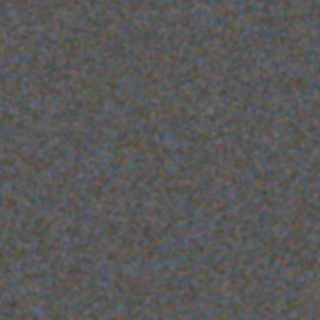
So an emulation should define grain as a size on film, in micrometres, and convert it to pixels through the frame width of the chosen gauge. Grain defined in pixels ignores the gauge and changes size whenever the delivery resolution changes.
The stock matters too. Here is 5203, one of the slowest films in Ashigrain’s catalogue, next to a fast black-and-white stock, both on Super 35:
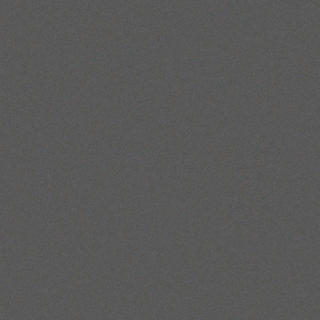
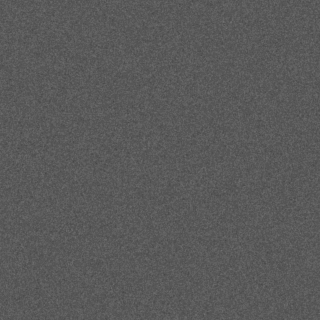
T-Max P3200 has a published granularity of 18 at net density 1.0 (in D-76 developer) and prints no curve (F-4001, p.7), so the model scales that one value with the square root of density. That is an approximation, as is the grain size in both crops. All the images in this article are Ashigrain model renders of synthetic test frames, not scans of real film.
04 — Overlays and procedural grain
Grain overlays and procedural grain
There are two common ways to add grain in an edit: lay a scanned grain plate over the picture, or generate the grain.
Grain overlay
A grain overlay is a scan of real film grain, usually from an evenly exposed frame. You put it on a layer above your footage and blend it in, often with an overlay or soft-light mode. Overlays work in any editor and need no plugin, and the texture is the real stock’s texture, irregularities and all. For a quick result they are a sensible choice.
Their limits come from how they are made: the plate was scanned at one resolution, so scaling or cropping it changes the grain’s size relative to the frame, and enlarging it a lot makes it soft. It is blended onto the finished picture, the display values you see, as one layer. On film the grain sat in each colour layer’s density, before the print, so a blend mode can fade the grain in the highlights or shadows but by its own maths, not the stock’s granularity curve. A plate also records one stock and one gauge, and as a finite clip it loops on a long shot.
Procedural, in density
Procedural grain in the density domain is generated and added where film carries it: to each layer’s density, after exposure and before the print or scan. Added there, it follows the exposure of each part of the frame layer by layer, and the print turns it into brightness along with the rest of the image.
Its strength can come from the datasheet granularity and its size can be set on film, so it holds at any resolution and gauge. The trade-off is that the texture comes from a model, not a scan, so it is only as good as the model and the checks behind it.
05 — How Ashigrain models grain
How Ashigrain models grain
Ashigrain is an OpenFX plugin for DaVinci Resolve and other OpenFX hosts on macOS, and it takes the procedural route.
Calibrated to the datasheet
For each film layer it generates random noise on a grid of cells whose spacing is the layer’s grain size on film, smooths it into a continuous field, and adds it to that layer’s density. The strength is calibrated so that the same measurement Kodak uses, standard deviation of density through a 48 µm aperture, gives the datasheet granularity at each density. The dashed lines in the 500T chart above are that measurement made on Ashigrain renders. They agree with the datasheet because the model is built from it. That is a calibration check, not a comparison with photographed film, which Ashigrain has not yet published.
The Boolean model
For the character of the grain, meaning its texture and how its pattern is correlated across space, Ashigrain uses the Boolean model of Newson, Delon and Galerne as the reference (Computer Graphics Forum, 2017). It treats grains as small discs scattered at random and renders them independently of the output resolution. The plugin does not render this model while you grade. It runs the fast grain described above, whose statistics were fitted against the reference. Ashigrain’s code was written from the paper.
Grain size is a choice
Grain size is a modelling choice, not data. None of the datasheets Ashigrain works from publishes the size of the dye clouds or silver clumps, only granularity. Ashigrain uses sizes of about 2.5 to 7 µm on film for the colour stocks, larger for faster stocks and largest in the blue layer, and 5 to 5.5 µm for the black-and-white stocks, values that were halved after early feedback that the grain looked too coarse. They are approximations, and the Size control scales them.
The film stock guide lists, for each stock, where its granularity comes from and what is modelled; Portra 800, for example, publishes no RMS granularity and borrows 500T’s curve. For the whole chain from light to print, see How film emulation works.
06 — In DaVinci Resolve
How to add film grain in DaVinci Resolve
To add a film grain effect with Ashigrain, find it in the Effects library under OpenFX. Put it on the Color page as a node and set its colour space fields to match your project; the workflow guide covers the setups. Then:
Film and format
Pick a film in Film look and its Stock menu, and the gauge in Format (Film section, Pro view). Format sets the grain scale: the same stock on 16mm or Super 8 shows larger grain.
Grain amount
Set Grain amount in Essentials. 1 is the datasheet granularity. The default is 0.8, a little under the datasheet, as a look choice. The slider covers 0 to 2.
Grain section
If you need more control, open the Grain section (Pro view):
- Size scales the grain size relative to Ashigrain’s size for that stock. 1 is the model’s default, which is an approximation, not a measured value. It is a size on film, so it scales with the format.
- Color/luma balance sets how much the three layers share one pattern: 0 gives independent grain per layer (colour grain), 1 the same grain in every layer (luma grain). The default comes from the stock.
- Amount R, Amount G and Amount B scale each layer; 1 is the datasheet.
- Response Shadows, Midtones and Highlights weight the grain by film density; 1 is the datasheet granularity at that density.
- Highlight grain sets how much grain the highlights keep, from 0 to 1, with a default of 0.5. It is a look control, not datasheet data: lower values fade the grain from mid-grey upwards.
- Temporal mode is Animated (a new pattern each frame) or Static, and Seed picks the pattern.
Grain only
To see the grain on its own, set Debug view (Output & Debug) to Grain only. It shows the density change the grain adds as variation around mid-grey, where a change of 0.125 density reaches white or black.
Full resolution
Check the grain at full resolution before delivery. Proxy playback has less detail.
Among the factory presets, 16mm documentary and Super 8 home movie use grain amount 1, and Subtle uses 0.4. The parameter reference lists every grain control with its range and default. For the red glow film adds around bright highlights, see halation.
07 — FAQ
FAQ
- Is film grain the same as digital noise?
No. Digital noise comes from the camera’s sensor and electronics. Film grain comes from the structure of the developed emulsion and varies with the film’s density, layer by layer.
- Why is film grain often coloured?
Each of the three layers in colour film has its own dye clouds, and the layers differ in granularity. In 500T the blue layer’s published granularity at density 1.0 is about three times that of red and green.
- What does "RMS granularity 14" mean?
The standard deviation of density, read through a 48 µm aperture at net diffuse density 1.0, is 0.014. Kodak multiplies it by 1000.
- Should Grain amount be 1?
Use 1 if you want the published granularity. The default of 0.8 is a little lighter by choice. Either way, check at full resolution.
- Can I just use a grain overlay?
Yes. For a quick result an overlay gives real scanned texture. If you need grain that follows the exposure of each colour layer, matches a stock’s datasheet or holds its size across gauges and resolutions, procedural density-domain grain is the closer fit.
Sources
- Eastman Kodak Company. KODAK Essential Reference Guide for Filmmakers, H-845, 2007, printed p.55 (PDF p.57): definition of RMS granularity (σD × 1000, net diffuse density 1.0, 48 µm aperture). kodak.com
- Eastman Kodak Company. KODAK VISION3 50D Color Negative Film 5203 / 7203 Technical Data, H-1-5203t, Revised 7-15, p.4. kodak.com
- Eastman Kodak Company. KODAK VISION3 500T Color Negative Film 5219 / 7219 Technical Data, H-1-5219t, Revised 7-15, p.4. kodak.com
- Eastman Kodak Company. EASTMAN DOUBLE-X Negative Film 5222 / 7222 Technical Data, H-1-5222, Revised 7-15, p.2.
- Eastman Kodak Company. KODAK EKTACHROME 100D Color Reversal Film 5294 / 7294 Technical Information, H-1-5294, Revised 3-26, p.3. kodak.com
- Kodak Alaris Inc. KODAK PROFESSIONAL T-MAX P3200 Black-and-White Film Technical Data, F-4001, Revised 04-19, p.7.
- Newson, A., Delon, J., Galerne, B. “A Stochastic Film Grain Model for Resolution-Independent Rendering.” Computer Graphics Forum 36(8):684-699, 2017. doi:10.1111/cgf.13159
- ARRI. Ground Glasses and Masks: ANSI Super 35 Formats, data sheet 2-7-0, p.1 (Super 35 frame width). arri.com
- filmkorn.org Super 8 database, “super 8 film format standards”, retrieved 2026-09-23 (Super 8 frame width). filmkorn.org